Piercing Booth1.02
Publisher Description

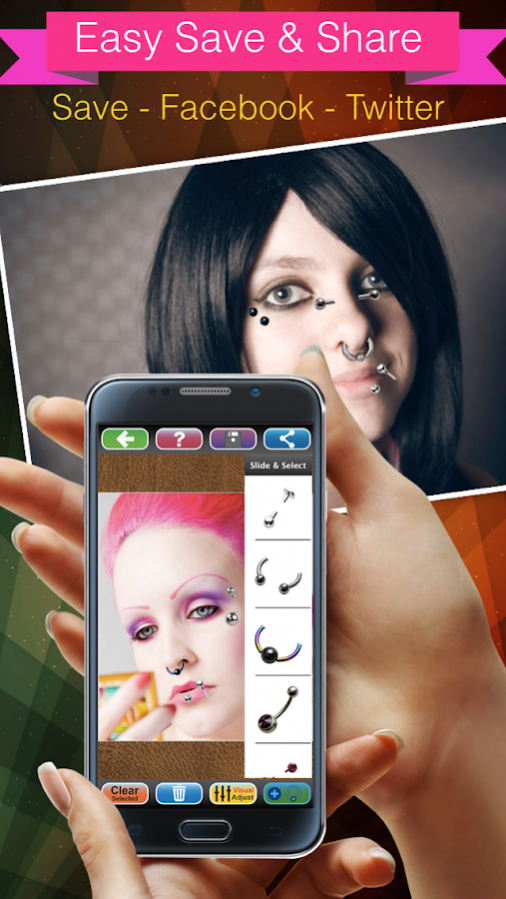


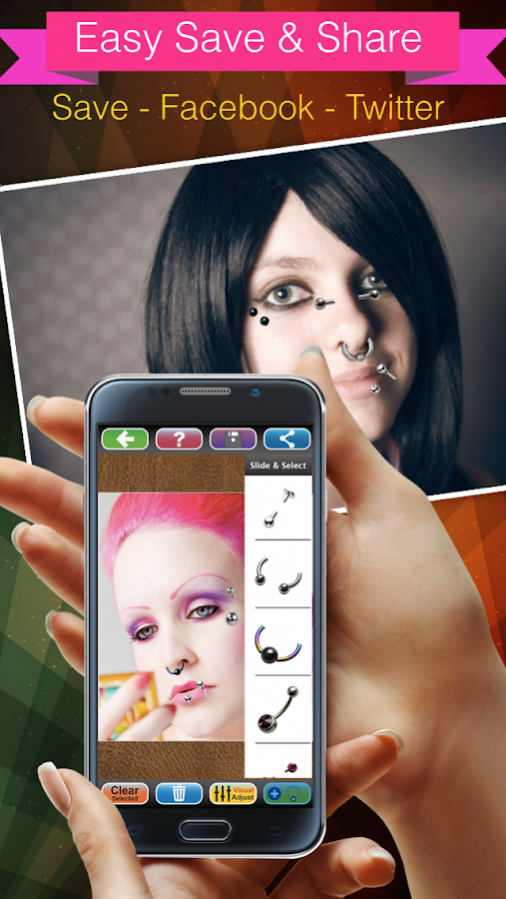


Want beautiful Body Piercing, Piercing tongue, lips or any face - and body also make prank photo to show mom but don't want to pain. Use "Piercing Booth : body piercing booth Now" Booth for get instantly cool Piercing!
** All Screenshot picture 100% had made from this app, Not just fake photo. **
** 50+ of Piercing Items, totally free! **
Piercing Booth : body piercing booth Now is easy to use and look realistic piercing by no pain, come with variety of beautiful realistic 50+ piercing items,
and available for adjust transparent & color (RGB Color mode).
You will be able to create beautiful body piercing,face piercing,ears piercing,tongue piercing,lips piecing,nose piercing, etc. try before real piercing, get piercing ideas and fun with PIERCING BOOTH!
App is easy to use, just take a picture, or select from the camera roll or your photo gallery,
slide then select piercing picture that you like. Change the position-scale-rotation piercing item with your fingers.
More Funny Booth with color change function (RBG Mode), When a your picture with piercing is good looking,it easy to save images & share to Twitter, Facebook, Line, Instagram and Email.
** Note: Some Piercing Images will not effect with RGB changing colour mode!.**
Features:
1. The Interface is easy to use and beautiful.
2. Variety of beautiful realistic piercing pictures and available for adjust color (RGB Color mode).
3. Take photos using the camera or select a picture from your camera roll / photo gallery.
4. Scale, rotate, move adjust with your finger easily.
5. Save and Share your photo with tattoo to Facebook, Twitter, Line, Instagram or email.
Instruction:
1. Select a picture from your camera roll (photo gallery)or take photo.
2. Adjust your photo fix in frame, one finger for move and two fingers for scale and rotation, then tap OK button for use this picture.
3. Tab "+ Piercing Button" for open/close Piercing's gallery then slide for view & select piercing picture that you want to attach on your photo.
4. Use your fingers for adjust (scale-move-rotation) piercing item by one finger for move and two fingers for scale and rotation.
5. When piercing item had selected, It's appear white frame around that piercing item picture. User can tap another piercing item for change item selection.
6. When piercing item picture had selected can use "Bin Button" for delete its.
7. Tap "Visual Adjust Button" for open/close "Visual Adjust Panel" by this panel user can adjust color of piercing item.
8. Save to Camera Roll or your photo gallery by use "Save Button".
9. For Sharing your tattoo booth photo use "Sharing Button" then select social media Facebook, Twitter, Line, Instagram or email that you want to share.
If you love this app, please let us know by rate 5 star & reviews.
visit us: http://redantappsmobile.com/
fanpage: https://facebook.com/redantapps
About Piercing Booth
The company that develops Piercing Booth is Jirapas Tongthong. The latest version released by its developer is 1.02.
To install Piercing Booth on your Android device, just click the green Continue To App button above to start the installation process. The app is listed on our website since 2018-01-14 and was downloaded 1 times. We have already checked if the download link is safe, however for your own protection we recommend that you scan the downloaded app with your antivirus. Your antivirus may detect the Piercing Booth as malware as malware if the download link to com.tainapps.piercingboothbodypiercingbooth is broken.
How to install Piercing Booth on your Android device:
- Click on the Continue To App button on our website. This will redirect you to Google Play.
- Once the Piercing Booth is shown in the Google Play listing of your Android device, you can start its download and installation. Tap on the Install button located below the search bar and to the right of the app icon.
- A pop-up window with the permissions required by Piercing Booth will be shown. Click on Accept to continue the process.
- Piercing Booth will be downloaded onto your device, displaying a progress. Once the download completes, the installation will start and you'll get a notification after the installation is finished.
Program Details
System requirements
Download information
Pricing
Version History
version 1.02
posted on 2018-01-14
Fix Some Bug.
